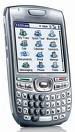
 I owned a Palm Treo 650 for about 3 years until it went belly up right before I left the house for a Super Bowl Party. Before I went to the party, I ran to the Cingular (now AT&T Mobility) store and purchased a shiny new Treo 680. We successfully transferred all of my contacts (over 600 of them), calender entries, memos, and third party software (except I could never get my Ace's Texas Hold'em to work on my new smartphone).
I went out of town in June for 3 weeks and when I returned home and tried to HotSync, I noticed that the smartphone would hangup when it got to the Calendar conduit. It would cycle for 4-5 minutes and then the Treo 680 would reboot; I would also have to reboot my computer because the Palm Desktop would also be locked. Through trial and error, I learned how to bypass (skip) the Calendar conduit to complete the HotSync function, but I did not have a backup of my Calendar entries since early June 2007.
 For weeks... no, months, my new Palm Treo 680 would not HotSync the Calendar conduit with the Palm Desktop. I posted a plea for help on the Palm Help Forum where I received numerous suggestions, but no solution to my problem.
I finally broke down and called Palm Support. It took about 2 hours, but the Customer Service Rep and I finally fixed the problem. There was/were bad record(s) in my Calendar and the only way to fix it was to restore my system from an old backup. These are the steps that I followed to fix the issue:
- Rename Program Files/palmOne to Program Files/palmOne_OLD
- Go into system and REMOVE the Palm Desktop from your PC
- COLD RESET the Treo 680 so that it deletes all data (remove battery and hold RED Off button while it boots back up and select YES to delete all records)
- Use the Palm CD that came with the Treo to re-install the Palm Desktop
- Go to Palm Desktop and add a new Profile Name
- Copy files from Program Files/palmOne_OLD to the new Program Files/palmOne
- Contacts (address\address.bak)
- Calendar (datebook\datebook.bak)
- Memos (memopad\memopad.bak)
- Tasks (todo\todo.bak)
- Applications from the OldApps directory (yeah, I didn't know it existed either, but it contains all of the 3rd party stuff that you've added over the years)
- Luckily, I save the pictures to my SD card when I take my pictures
- HotSync your blank Treo with your updated Palm Desktop (your Treo will not have any of the settings/preferences you had before: color schemes, songs for individuals, etc.)
The only thing I would do different, is turn off my Calendar conduit and HotSync one time before going through the above procedure. And this underscores the need to do frequent backups of your data.





 Posts
Posts